


You do not always need to code to build a chatbot. Simple workflows can be assembled from ready-made blocks in a visual builder. More complex tasks call for low-code tools or custom API development.
This guide explains how to create a chatbot, compares methods and platforms, and shows when a builder is enough and when custom development is needed.
What Is a Chatbot and How Does It Work?
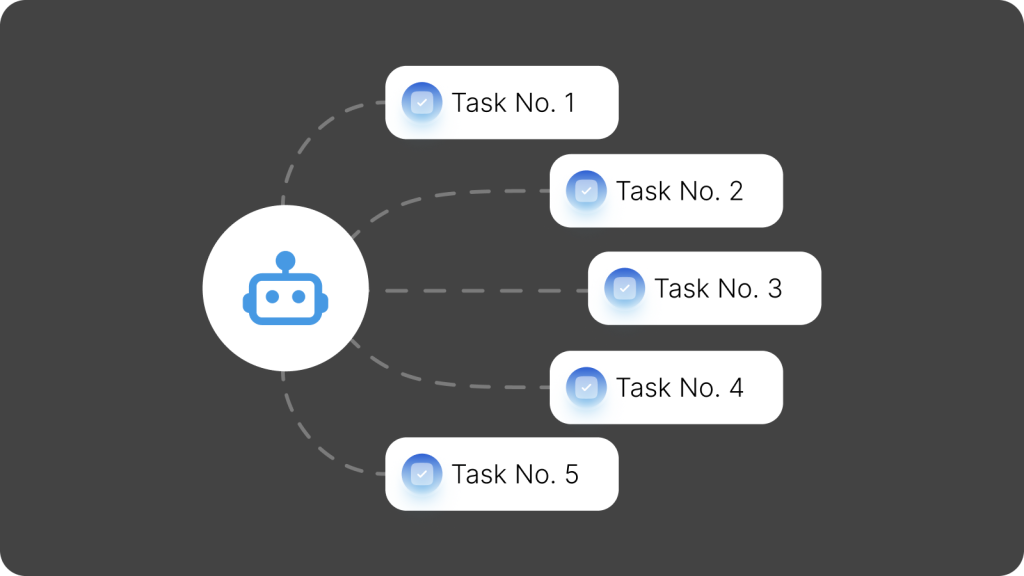
A chatbot is software that communicates with users through a familiar messaging interface. Users send messages, choose commands, or tap buttons; the bot responds or performs a predefined action.
Most bots follow a predefined workflow. For example, when a customer wants to book a beauty salon appointment, the bot can ask for the service, contact details, and preferred time, then pass the information to an employee or connected system.
More sophisticated bots communicate with a CRM, database, calendar, or other system through an API. They can check real availability rather than merely collect preferred times.
Types of Chatbots
A single chatbot can belong to several categories. It is useful to distinguish bots by operating principle and audience.
By operating principle
- Rule-based bots follow predefined branches, suitable for forms, applications, registration, and appointments.
- AI bots interpret natural-language queries and help with consultations and knowledge-base searches. AI understanding can also trigger a predefined workflow.
By audience
- Customer-facing bots answer questions, collect leads, accept bookings, and send order updates.
- Corporate chatbots serve employees and may connect to HR, support, accounting, and other internal systems. Infrastructure, access control, and integration requirements are especially important.
Three Ways to Build a Chatbot
There are three main approaches: a no-code builder, a low-code platform, or custom development.
No-Code Chatbot Builder
A visual builder offers ready-made blocks such as messages, questions, buttons, conditions, delays, actions, and branching.
A booking workflow might be: greeting → service selection → date selection → phone number → confirmation → data transfer.
No programming is required for basic setup. Builders work well for FAQs, questionnaires, quizzes, registration, lead collection, campaigns, and straightforward funnels.
Their limitations depend on the service, supported channels, and integrations. Missing capabilities may require an API, webhooks, or a different architecture.
Examples of no-code builders:
- Salebot — lead generation, messaging campaigns, CRM-connected customer flows, and online booking.
- BotHelp — visual automation across several messengers.
- Botmother — buttons, branching, AI, and external integrations.
- Aimylogic — chat and voice bots with natural-language processing.
- PuzzleBot — bots and mini-apps for Telegram and MAX.
Low-Code Platform
Low-code bridges visual builders and custom development. Ready-made components handle the main workflow, while APIs, webhooks, custom code, and integrations support unusual tasks.
For example, a bot can collect a request using standard blocks, retrieve information from an external system, and continue based on the response.
Tools such as n8n, Node-RED, and Microsoft Power Automate provide node-based workflows with API and custom-code options. A supported connector or separate integration is still needed for each messenger.
Development Through an API
If ready-made tools are insufficient, developers can build the bot and connect it to the chosen communication platform through its API.
They design the architecture and backend, implement the logic, and configure integrations.
The hardest part may lie outside the chat: retrieving information from multiple corporate systems, verifying permissions, performing an action, and returning a result.
The full process should define what data the bot receives, where it comes from, where it goes, and what happens if something fails.
How to Create a Chatbot in a Messenger: From Idea to Launch
The following steps apply regardless of platform.
1. Define One Main Task
Choose a specific action: qualify a lead, book an appointment, answer delivery questions, or retrieve HR information. A focused task makes requirements clearer.
2. Identify the Users
Will the bot serve website visitors, customers, partners, or employees? Customer-facing bots should be available where customers already communicate; internal bots should fit the organization's work environment and infrastructure.
3. Draw the Workflow
Start with a simple diagram rather than opening the builder immediately: start → task selection → question → answer → action → completion.
Include unexpected inputs, missing responses, requests to go back, and escalation to a human specialist.
4. Define Data and Integrations
List the data the bot needs and where it must send it. An informational bot may not need integrations, whereas checking order status or remaining leave requires an up-to-date data source.
5. Build the First Version
Implement the primary user journey and a few common alternative branches before expanding the workflow.
6. Test Imperfect User Journeys
Enter text instead of pressing a button, supply an invalid phone number, navigate backward repeatedly, or leave fields empty. Check data transfers and external-system outages.
7. Analyze Performance After Launch
Track the most-used workflows, where users abandon conversations, and which requests the bot cannot understand. Improve the logic iteratively.
Chatbot Ideas
Customer-facing bots focus on communication and service; internal bots support employees. Start with a repetitive task worth automating.
1. Frequently Asked Questions
A bot can explain business hours, delivery, pricing, documentation, or where to find information. Buttons suit small FAQs; large knowledge bases may require search or AI with safeguards for uncertain answers.
2. Lead and Contact Collection
Instead of showing a long form, the bot asks for a name, contact details, service of interest, and other information step by step, then forwards it to an employee or CRM.
3. Bookings and Event Registration
A bot can register someone for an event, consultation, class, or service. More advanced workflows check a booking system, display available slots, create bookings, and send reminders.
4. Notifications
Bots can report order status, new requests, upcoming meetings, or changes in business systems. Employees receive important events directly in their existing communication environment.
5. Internal Company Processes
Internal bots can accept IT support tickets, help with HR requests, deliver system alerts, and trigger standard actions. These workflows often require company-specific integrations and controls.
How to Build a Corporate Chatbot
First choose the messenger employees will use. It may be a public service such as Telegram or the organization's corporate communication platform.
Check whether the messenger supports custom bots. Telegram offers the Telegram Bot API; enterprise platforms have their own tools. In eXpress, BotX connects bots using two RESTful HTTP APIs.
Choose the development approach next. A supported builder may suffice for a simple bot; more complex tasks or unsupported messengers require API development.
Plan integrations with CRM, HR systems, Service Desk, and other enterprise services. The bot often needs to do more than receive and send messages.
For sensitive or personal data, define how employees are identified, which data and actions they can access, and where the bot backend will run.
Corporate chatbots can therefore be built for both public and enterprise messengers.
Corporate Messengers That Support Chatbots
When selecting a corporate messenger, examine its developer documentation: bot creation and registration, events, proactive messaging, file and button support, and required permissions. Several Russian platforms provide official development tools.
eXpress
eXpress is an enterprise messenger and secure communications platform. Its BotX microservice connects the bot backend to eXpress. The backend can run inside the organization's infrastructure and integrate with internal systems such as 1C and Service Desk. Python developers can use pybotx, but HTTP and JSON support other languages too.
Custom development is optional: eXpress offers ready-made bots and SmartApps for deployment on a corporate server, including Contacts Bot and Webhook Bot for external notifications.
Developers can adapt sample workflows for surveys, notifications, project work, and enterprise integrations. More examples are available in the platform presentation.
A special bot can also help migrate Telegram bots to eXpress without completely rewriting the integration code.
VK Teams
VK Teams supports custom bots through Bot API. Each bot receives an ID and token. In the server version, administrators can control permissions, including whether a bot may initiate conversations.
Its ready-made Calendar Bot sends invitations, reminders, and updates, and lets users respond directly in chat.
Compass
Compass provides an open API for custom bots. According to the developer, bots can receive commands, send messages and files to chats and threads, add reactions, and gather statistics.
External-service APIs can feed information into work chats, including in the on-premises edition.
Bitrix24
Bitrix24 is a broader work platform rather than just a messenger, but it provides a dedicated REST API for chatbots.
Its Chat Bots 2.0 documentation covers registration, chat creation, event handling, messaging, and files, enabling bots connected to other Bitrix24 workflows.
Pachca
Pachca supports chatbots through Webhook/API. Bots can retrieve information from external services, react to chat commands, and send responses.
Developer documentation covers bots, buttons, forms, incoming and outgoing webhooks. Bots can send and receive messages under their own identity.
How Companies Use Chatbots: Examples
Organizations can create bots for specific tasks, deploy vendor templates, or adapt existing assistants to a new messenger.
Rosatom: Mark Digital Assistant
Rosatom's Atom Space corporate application features Mark, a digital assistant supporting more than 20 workflows. It helps employees find instructions and documents, arrange leave and business trips, create and track IT tickets, and remember meetings and tasks.
Employees can also sign documents generated in 1C and SAP ERP. Mark runs inside Atom Space, which is based on eXpress, and data stays within the corporate environment.
Nornickel: Nika Virtual Assistant
Nornickel's Nika assistant was later integrated into Supernika, the company's new eXpress-based corporate app, together with other internal services.
Employees use Nika to contact the Corporate Trust Service, access news, find voluntary medical insurance information, and retrieve other data. The assistant did not have to be rebuilt.
Russian Railways: From IT Support to Operations
Russian Railways uses an ecosystem of bots for IT support, incident alerts, infrastructure monitoring, surveys, and more. Its IT Support bot registers requests, checks their status, and can unlock accounts.
Other assistants include ViKo, which explains corporate IT systems, and Lokobot, which helps new employees understand pay, benefits, and employment conditions.
For passengers, Express Primorya launched an Electric Trains RZD bot in MAX that sells single-trip commuter train tickets around the clock without a separate app.
Rubytech: Migrating a Bot from Telegram
Rubytech had a Telegram bot to track the key to its demo room, letting employees check whether it was available and who held it.
After moving internal communications to eXpress, the company retained the main logic but adapted the API integration. A Rubytech developer described the migration on Habr.
Moscow Exchange: First-Line Support Bot
Moscow Exchange built a first-line technical support bot. Its architecture separates the eXpress interface from an internal backend handling business logic, permissions, and integrations.
The team described its development, requirements approval, and libraries in a Habr article.
Instead of a Conclusion
Building a chatbot begins with the workflow: identify where it can replace a manual action or make it easier. The more specific the task, the clearer the requirements.
If you want to launch a bot in eXpress, discuss your task with our specialists. We can help design the workflow and develop the bot.