


Have you ever tried to log into a banking app and the code never arrived? Or waited for an SMS confirmation so long that you could have taken a break? If you are choosing an SMS authentication service, you most likely want to save your users from such an experience.
This article is about which platforms in 2026 handle connecting SMS authentication to a website and application.
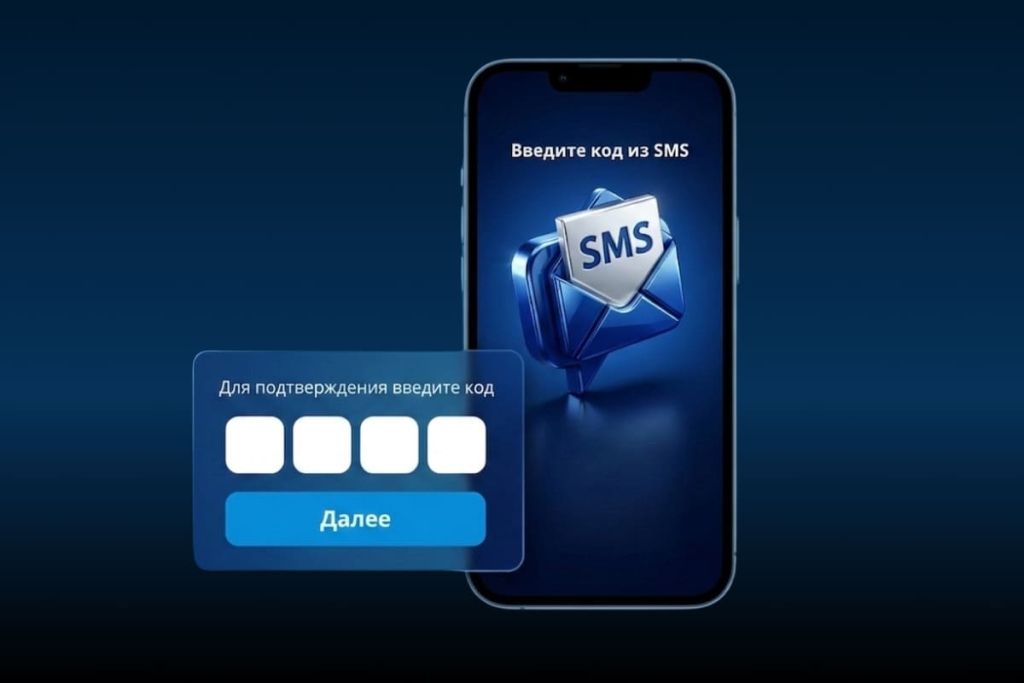
Why SMS authentication still works
Today it is hard to imagine that someone communicates via SMS, because there are codes in messengers, authenticator apps, biometrics and other verification methods. But the main advantage of SMS is that they work absolutely everywhere and for everyone without an internet connection.
Why this method is still relevant:
- Works on any device — even on a phone that was bought in 2010.
- Response speed — about 98% of people read SMS within the first five minutes after receiving it. Compare this with email, where messages can remain unread in the "Inbox" folder for a long time.
- Additional protection — a password can be stolen, guessed, or tricked out of a user. Gaining access to a phone is much harder.
- This process is familiar to users — receive the code, enter it. No need to install additional applications.
According to Market Research Future, the two-factor authentication market grew from $7.68 billion in 2023 and is expected to reach $31 billion by 2030. At the same time, SMS accounts for more than 61% of this market.
How to use SMS authentication
- The user goes to your website and enters their login and password.
- The system generates a random code and sends it to the phone number.
- The person receives the message, enters the code, the system checks the match, done.
However, important details can affect the quality of service. If an SMS takes more than 30 seconds to arrive, the user starts to doubt. More than a minute — gets irritated. And if the code is lost somewhere between you and the telecom operator, you can lose the customer forever.
Therefore, choosing the right provider is crucial.
What to look at when choosing a platform
Price is important. However, it is far from always the main criterion. Here is what matters:
1. Delivery speed — the code must arrive instantly. For e-commerce businesses, even small delays can significantly reduce conversion. In banks and microfinance organizations, users will simply go to competitors.
2. Delivery rate: even 98% may not be enough when it comes to account access. Every undelivered message can lead to customer loss and damage to reputation.
3. Direct connections with operators. The shorter the chain of intermediaries, the faster and more reliable the delivery.
4. Clear API — documentation should be so clear that developers do not need a week to study it. Good code examples, clear endpoints, ready-made libraries simplify integration.
5. 24/7 support — authorization issues do not happen strictly from 9 to 18 on weekdays. At night, on weekends, and on holidays, the system must work. In case of problems, support must be ready to help.
6. Detailed analytics: which operators experience technical failures, at what time of day delays occur more often, how many attempts users need for successful login.
Service overview
We analyzed the market, tested various solutions, and prepared optimal options for you.
Notificore
The service has been optimized for cases when it is necessary to reduce user waiting time: eliminate delays in OTP code delivery, minimize non-delivery, as well as improve personalization and reduce operational costs.
Suitable for teams from fintech, medical centers, online schools, retail, logistics and other industries.
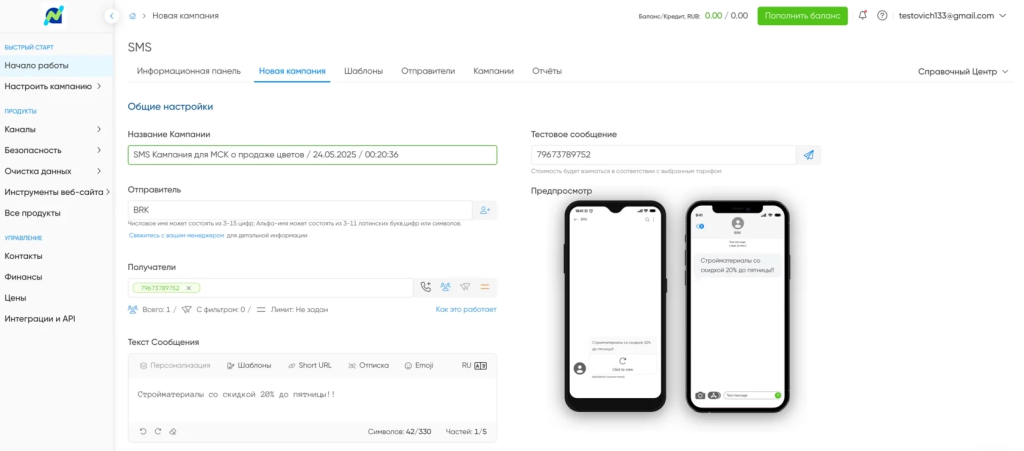
What stands out
Personal support, direct connections with operators, the ability to send codes via SMS, Telegram, and in the near future code delivery via a voice assistant call will be available.
Coverage geography: more than 200 countries and connections with 1800+ operators. For international business, this can significantly simplify solving many tasks: sending campaigns to numbers of dozens of regional providers, not connecting sender names in each country, and so on.
Capabilities
- Personal account with a template builder, dashboards. All communication channels in one interface: SMS, email, messengers, voice messages, code delivery.
- SMS are configured once and then work automatically. For example, if a user requests a code, tries to log in from a new device, or recover a password.
- More than 20 metrics: for example, delivery time by operators, success rate of attempts, conversion of authorizations.
- Sender name instead of an unclear number. The person sees your company name and knows for sure that it is not spam or phishing.
- REST API with clear documentation, ready-made modules, libraries for popular programming languages.
- SMPP for those who need bulk messaging.
- Encryption at all stages, personal data protection, built-in anti-fraud system.
- 24/7 support, monitoring of operator network load.
Additionally, there are cascading campaigns: if the main route for sending codes (for example, via the Telegram messenger) fails for some reason, the system automatically switches to a backup, for example, SMS.
Cost: depends on volumes and destinations, from 5 ₽ per SMS.
SigmaSMS
The SigmaSMS service is not limited to one channel. In addition to classic SMS, there are OTP Call (the code is the last digits of the incoming number), mobile ID, Callback, even voice commands.
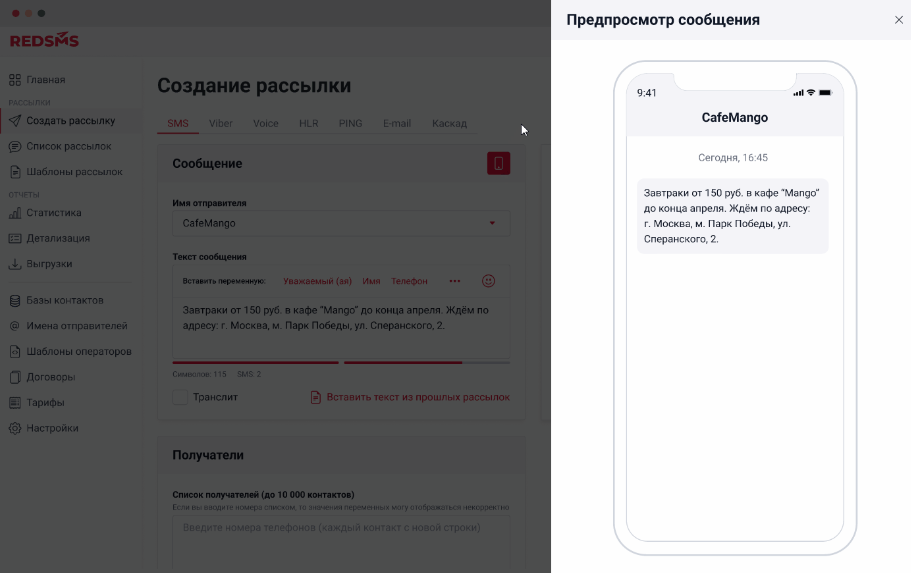
Capabilities:
- SMS targeting by demographics, geography, interests — if you have different audience segments, you can personalize communication.
- Code delivery not only via SMS, but also through ВКонтакте, Одноклассники and messengers — this is especially useful when the audience has very different characteristics
- Creation of chatbots for messengers
- Ready-made scenarios for typical tasks
- HLR check (the system itself filters inactive numbers so you do not waste money)
- Push notifications.
- Ready integrations with YCLIENTS, Bitrix24, amoCRM.
Cost: depends on many factors (channel, volume, operator, geography). In Russia, at a volume of 50,000 messages, it starts from 5.4 rubles per SMS. Abroad is more expensive — 12-35 rubles.
SMS Traffic
SMS Traffic is a platform focused on omnichannel communication. Instead of scattered channels, there is a single window: SMS, messengers, and push notifications come together in one interface. The history of interaction with a client is visible in full, regardless of where they contacted you from.
There is proprietary IMSI identification — this is a check of the subscriber's unique identifier at the SIM card level. It helps filter out login attempts through virtual numbers or substituted SIM cards.
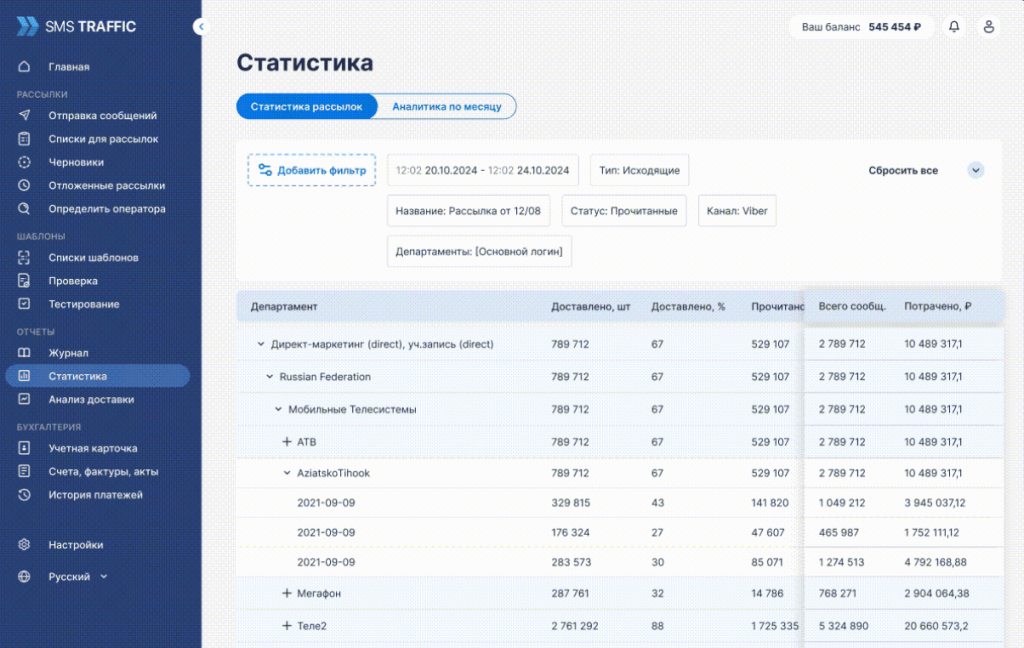
What the platform can do:
- Smart routing of dialogs and customizable reports
- Chatbots, receiving incoming messages
- Voice campaigns and mobile advertising
- Campaigns in popular social networks and messengers
- Payments via short numbers
Cost depends on volumes and operators. SMS — from 6 rubles. Email campaigns and other additional services are connected separately.
RedSMS
RedSMS is an SMS campaign service with a non-standard authentication technology. SIM-Push is implemented here: instead of sending a text message, authentication occurs directly through the SIM card. This is faster and cheaper than standard SMS, although it does not work on all devices.
Verification via an incoming call is another option: the user does not pay for the call and does not enter anything manually, the fact of the call itself confirms identity.
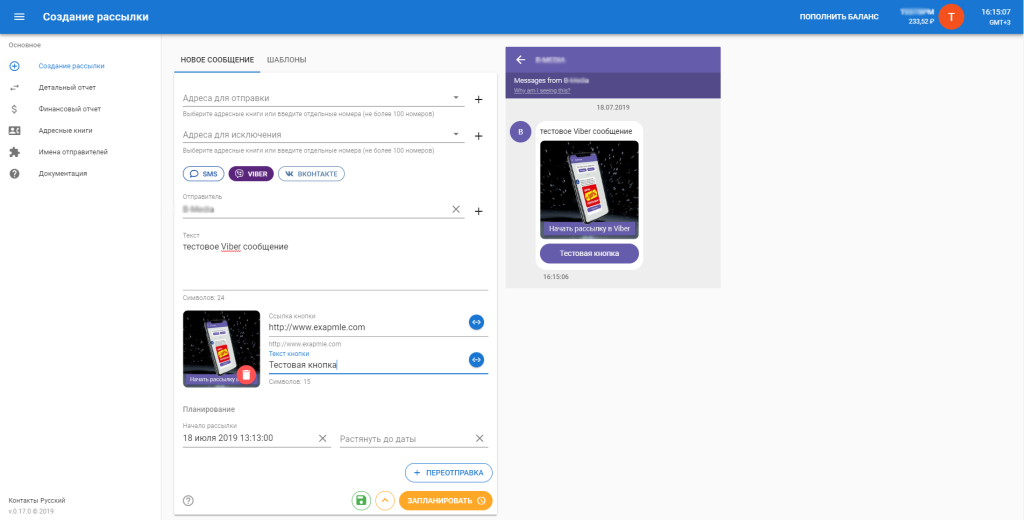
Platform functions:
- Database segmentation by age, interests, and geolocation
- Cascading, advertising, voice, and service campaigns
- Email marketing as an addition to SMS
- HLR check and Ping-SMS to maintain database quality
- Integrations: 1C-Bitrix, amoCRM and other CRM systems
Cost: when topping up from 50,000 rubles, sending SMS in Russia — from 5.6-6 rubles. For messengers and voice messages, separate tariffs apply, the final amount depends on the country, sender name, and operator.
SMS Center
SMS Center is a platform with history and a wide range of tools. Signatures in digital and alphabetical formats, voice and cascading campaigns, HLR requests, Ping-SMS, virtual numbers.
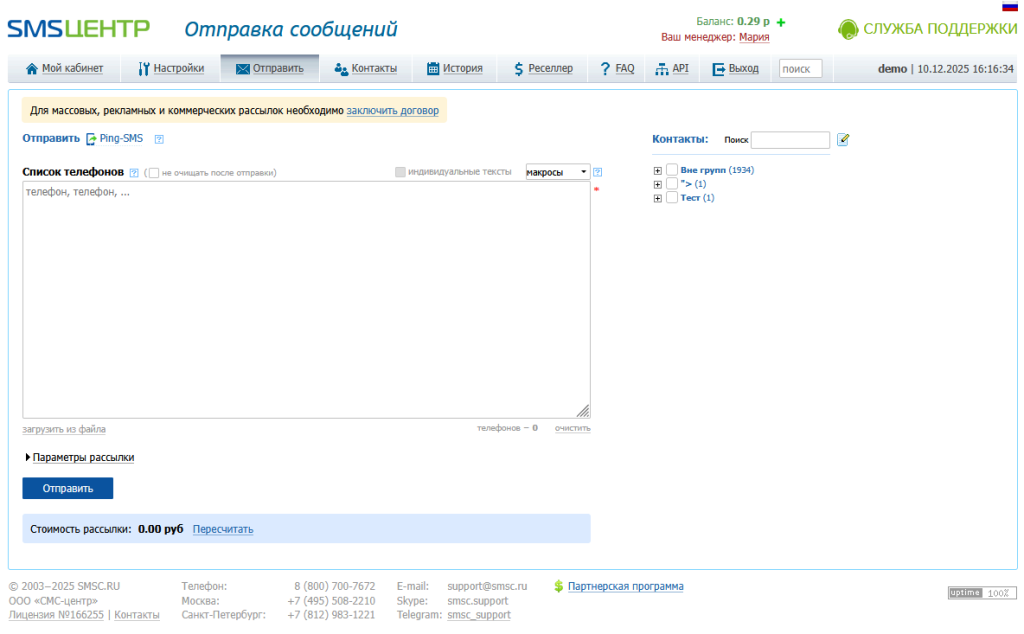
Additionally:
- Verification via call, campaigns in social networks and Viber, working with Telegram bots (sending and receiving messages), SIM card hosting, receiving SMS and calls on federal numbers.
- SMS gateway for automation, link shortening for campaigns, mobile advertising, email campaigns — a comprehensive approach to communications.
Cost: from 5.8-6 rubles per SMS, depends on monthly volumes. The more — the cheaper.
MTS Exolve
MTS business communications platform. There are cascading campaigns, developer documentation, SMS gateway with API. Plus you can connect city numbers, 8-800 numbers, IP telephony, virtual PBX.
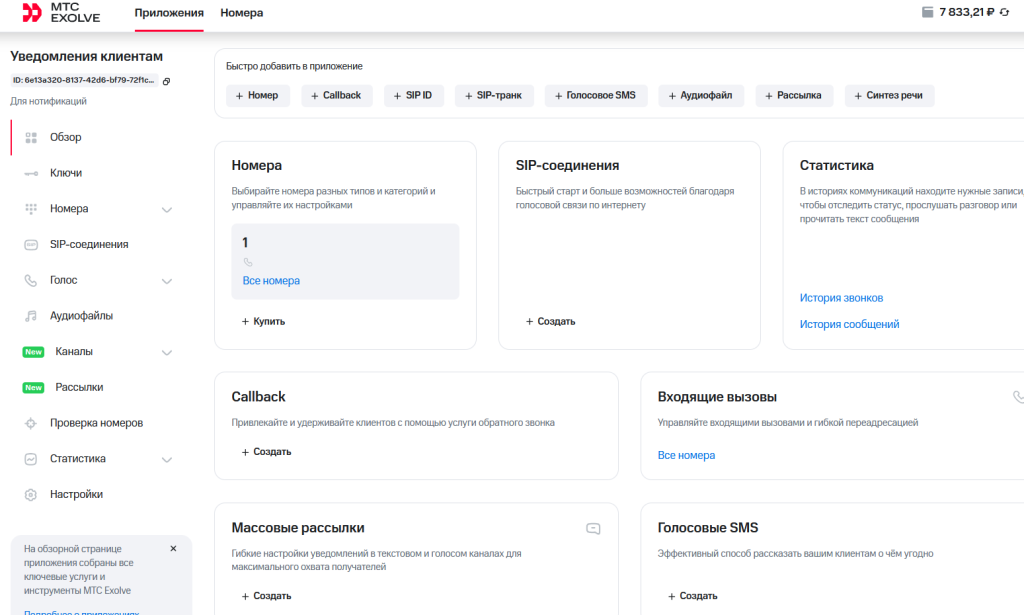
New users get 300 rubles for testing. You can try the functions and understand whether the platform suits you.
Voice API is available for custom call logic, integrations with popular CRM systems out of the box, speech recognition and synthesis, built-in call tracking, Mobile SDK for those who develop applications.
For full setup, more technical skills are required. If there is no developer in the team, you may need to hire a freelancer or contact integrators.
Cost: depends on operator and volumes.
How to set up SMS authentication
The process is quite simple, but there are certain specifics.
Step 1. Evaluate the expected load and choose a provider — the system must be able to handle the expected volume of authorizations.
Step 2. Register and get an API key — most services immediately provide test access.
Step 3. Integrate with the backend — configure the server to send requests via the provider's API. Almost everywhere there are ready-made libraries for popular languages — Python, PHP, Node.js, Java.
Step 4. Create message templates — the text should be clear: "Your code: 1234. Valid for 5 minutes. Company X".
Step 5. Set up status handling — it is important to receive responses from the API to know whether the message was delivered or not, and to correctly handle errors.
Step 6. Create an input form — a convenient interface where the user enters the code. You can add autofill.
Step 7. Set up code validation — the server checks the match, grants access or shows an error.
Step 8. Test on different operators — before launch, run the system through MTS, Beeline, MegaFon, Tele2. Sometimes specific operators may have certain issues.
Practices for using one-time passwords
When creating passwords, keep the following rules in mind:
- Message brevity: For example: "Code: 8273. Valid for 10 minutes." Remove unnecessary information.
- Instant sending: every second of delay increases the percentage of abandoned authorizations. Send the code immediately after the request.
- Reasonable validity period: 5-10 minutes is enough. Too short is annoying, too long reduces security.
- Quality delivery: choose a provider with direct operator connections and 99%+ delivery rate. Configure backup routes.
- Abuse protection: no more than one SMS per minute from one number. No more than 3-5 code requests per hour. CAPTCHA before sending if there are signs of a bot.
- Server-side validation: check codes only on the backend. Limit the number of input attempts (3-5 is enough).
What else to try besides SMS
SMS is a reliable basic channel, but not the only one. Companies also use:
Flash Call — during authorization, the system makes a call to the client's phone and immediately drops it, the client sees the last four digits of the number — this is the code. The method works even with zero balance.
Messengers — codes are delivered to channels that people are already used to checking. Telegram, VK and other Russian platforms are активно used as a delivery channel.
Email remains a working channel, but open rates are lower. Spam filters and overloaded inboxes can reduce delivery reliability.
Authenticators (Google Authenticator, Yandex.Key) — generate codes offline every 30 seconds. Reliable, but requires app installation.
Biometrics — fingerprint, Face ID, voice. Convenient and fast, but requires device support.
Cascading methods — a combination of different channels. If SMS fails, the system offers a call or email.
Voice channel — a separate topic. If the user does not read SMS, the code can be dictated via a call. For an audience used to live communication, this may work.
Changes in the use of messengers
Since June 1, 2025, Federal Law No. 41-FZ has been in force in Russia. It prohibits a number of organizations from using foreign messengers to communicate with individual clients.
The ban applies to banks, non-credit financial organizations, government bodies and companies with more than 50% state ownership, telecom operators, large marketplaces and aggregators with a daily audience of 100-500 thousand users.
What exactly is prohibited: sending contractual notifications, advertising campaigns, responding to customer inquiries, consulting, transferring personal data. In simple terms — any direct communication with a specific person via WhatsApp*, Telegram, Viber, Discord, Microsoft Teams and other foreign applications from the Roskomnadzor list.
The fine for violation — from 100,000 to 700,000 rubles for an organization. In 2025, the first court precedents have already appeared: one bank received a 200,000 ruble fine for a single message to a client via WhatsApp*.
What to use instead of foreign messengers
The main alternatives are SMS, an in-app or website chat, as well as Russian messengers.
eXpress is a Russian platform for secure corporate communications, included in the registry of domestic software and serving as an alternative to foreign solutions such as Microsoft Teams, Slack, WhatsApp, Telegram. It does not directly replace SMS codes, but can be used as a secure channel for service notifications and communication with the client within a regulated environment — where foreign messengers are now prohibited.
A Russian developer of information security and IT solutions has implemented a two-factor authentication (2FA) method in its Multifactor system via the eXpress corporate messenger.
Conclusion
SMS authentication remains one of the optimal solutions in terms of the balance of security, convenience, and accessibility. It is universal, familiar to users, and effective against most threats.
Company experience shows: the SMS authentication method blocks bots, mass phishing, while up to 80% of users have already encountered two-factor authentication and perceive such login confirmations on websites and applications as a norm.
When choosing a service, look at delivery speed, delivery rate, quality of support, ease of integration — all these factors affect the final result.