



imo is a messenger for messaging and video calls. In this review, we'll explore its history, main features, advantages, disadvantages, and usage.
The History of the imo Messenger
The history of the imo messenger dates back to the late 2000s. Initially, the service was launched as a web platform that combined various messengers, including ICQ, Skype, and Yahoo Messenger, into a single interface. The developers later abandoned this concept and refocused the product on developing its own technologies.
The application was developed by the American company PageBites, Inc. Development teams from Asia and the Middle East also played a significant role in the product's development. The program was specifically designed for owners of budget smartphones and older devices, on which other apps often freeze and quickly drain the battery. The developers focused on maximum code optimization, deliberately sacrificing visual enhancements. Thanks to this approach, the messenger has gained widespread popularity among private users in developing countries, as well as in regions with expensive mobile data and unstable network coverage.
Key functions and capabilities of imo
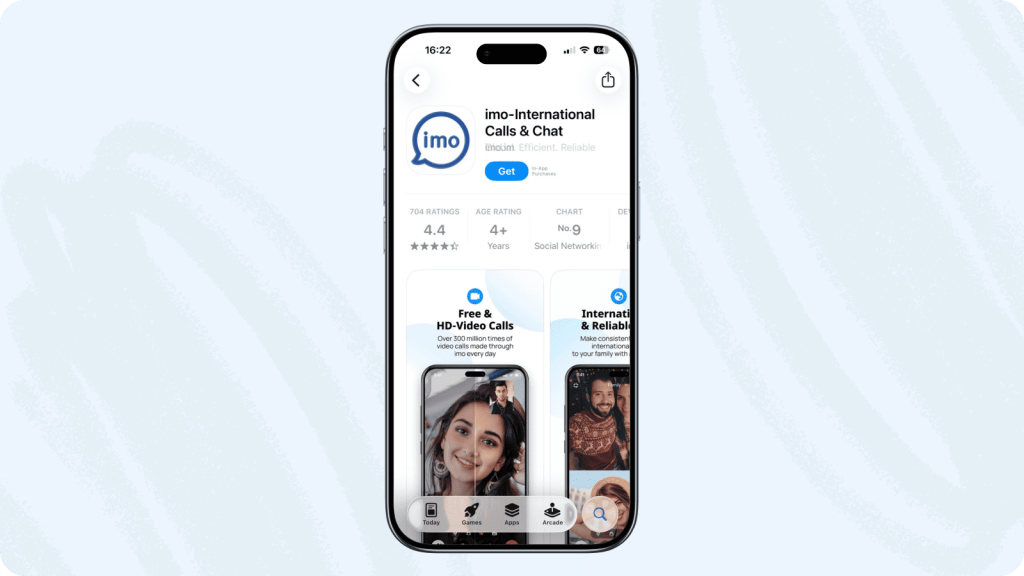
Video calls with minimal mobile data consumption Traffic
One of imo's key features is video calling. Unlike modern messengers, which often require a broad LTE or Wi-Fi connection to transmit HD images, imo dynamically adapts to network conditions. If the signal drops to EDGE (2G) or weak 3G, the app automatically reduces the video bitrate and resolution, and if the connection significantly deteriorates, it can switch to frame-by-frame video transfer or audio call mode.
Highly optimized imo allows you to make calls with minimal data consumption, which distinguishes it from competitors. This makes the app often used for international communication with family and friends.
When "data saving" mode is activated, the messenger compresses incoming and outgoing traffic. This is especially useful for those with limited mobile data, as it significantly reduces costs and ensures a more stable connection even with a weak network signal.
Chats and Media
The messaging functionality in imo includes basic tools:
- Users can send text and voice messages, photos, videos, and documents.
- It is possible to join group chats with a large number of participants, which is convenient for family circles or local communities.
Social Networks in imo
imo's functionality goes beyond a standard messenger, offering tools typical of social networks. For example, the "Stories" feature allows users to share photos and videos with all their contacts at once, rather than having to message each one individually; Such posts automatically disappear after 24 hours. The app also features "Voice Rooms." They create a space for collaborative discussions, listening to broadcasts, and helping users connect around common interests, turning the messenger into a full-fledged platform for building communities.
imo games
The built-in platform offers mini-games (cards, dominoes, backgammon, and Durak) that can be played directly during a call or in a separate chat with friends.
Cross-platform
Initially, imo was a web service. Today, the app is available for Android and iOS.
The desktop version of the app allows you to receive calls and chat from your computer via a webcam and microphone. The desktop interface is rather conservative and reminiscent of apps from the early 2010s. Message history synchronization between devices works reliably, although with slight delays on poor connections.
Pros and Cons of the IMO Messenger
Like any product with a long history and a specific audience, imo has its strengths and weaknesses.
Pros:
- Lightweight: The app takes up minimal space on your phone's memory. There is a separate imo Lite version, which is about the same size.It has a massive memory capacity and is designed for devices with 1-2 GB of RAM.
- Simple interface: even a user without specialized technical knowledge can navigate the app. Large buttons, minimal hidden menus, and clear calling functionality.
- Works on low-speed internet: Compression algorithms allow you to see and hear your caller when other messengers show a connection error.
Cons:
- Intrusive advertising: banners pop up in the menu, after calls end, and in the status feed. You can disable ads with a premium subscription, but this option is not supported in all countries.
- *This option is available in the app for the Russian region, but purchasing it requires additional effort and often entails a commission to intermediaries.
- End-to-end encryption (E2EE) is not enabled by default: messages and calls in imo are encrypted only at the client-server level, i.e., Theoretically, the provider or developer has access to decryption keys.
- No advanced chat search;
- No convenient file manager for cloud storage (files are not stored on servers forever);
- No option to edit sent messages.
- Limited popularity in Russia: Due to its low popularity in Russia, you will likely have to additionally inform friends and acquaintances that you have switched to this messenger and ask them to install it, which is not always convenient for quick communication.
- Weak moderation: There are many fake accounts within the messenger (for example, masquerading as official support), which are used by attackers for phishing and deceiving users.
Using imo in a corporate environment
While imo is suitable for personal communication and calls to relatives abroad, it is less suitable for corporate use in Russia. The app lacks specialized business tools and integrations, and its interface is more reminiscent of informal communication than business etiquette.
The main reasons are related to the following limitations:
- Transferring corporate data through foreign servers without end-to-end encryption violates the internal information security policies of most companies.
- Pop-up ads in the work chat are not only distracting but can also accidentally lead employees to a phishing site.
- The lack of administration tools prevents IT departments from effectively managing work processes and controlling employee use of the messenger using a directory or flexible access rights settings.
In a corporate environment, such limitations can be inconvenient, so companies typically prefer specialized business platforms for work tasks.
eXpress - a reliable Russian messenger
eXpress is a Russian secure corporate communications platform that combines a messenger, audio and video conferencing services, and collaboration tools. The platform is available in a free version for individuals and offers corporate solutions for organizations of all sizes.
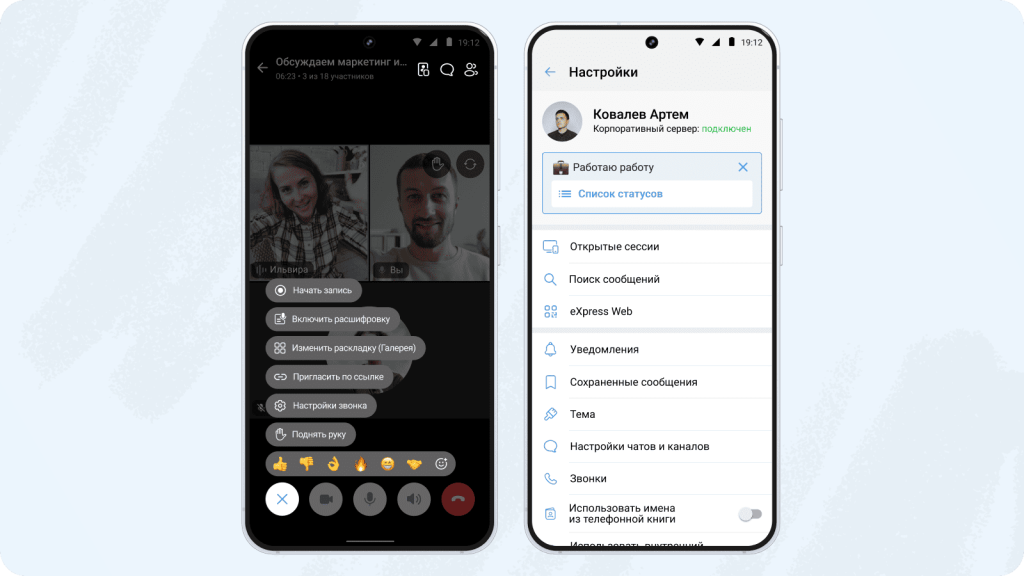
The eXpress corporate messenger helps you conveniently stay in touch with colleagues from both your PC and mobile phone. The platform allows you to create work channels, group chats, and conduct video conferences directly from the messenger interface. Everything works in a single window: you can set reactions, edit messages, format text, and attach files without switching back and forth.
For businesses, the platform offers a higher level of security. It fully complies with Russian law (Federal Law No. 152), contains no ads or hidden trackers, and correspondence is securely encrypted. If necessary, the company can deploy it on its own servers, ensuring that business data does not leave the organization's internal perimeter.
At the same time, eXpress remains simple for regular users, but gives the IT department complete control. Administrators can flexibly configure access rights, integrate the messenger with corporate systems, and ensure the security of work processes.
imo remains a niche messenger, its main advantage being its data savings and stable operation even on poor internet connections. For personal communication and international calls, it's ideal.The platform's capabilities are generally sufficient. However, for work communications and corporate use in Russia, the platform's functionality is limited, so companies often choose specialized solutions focused on security, administration, and integration with corporate infrastructure.