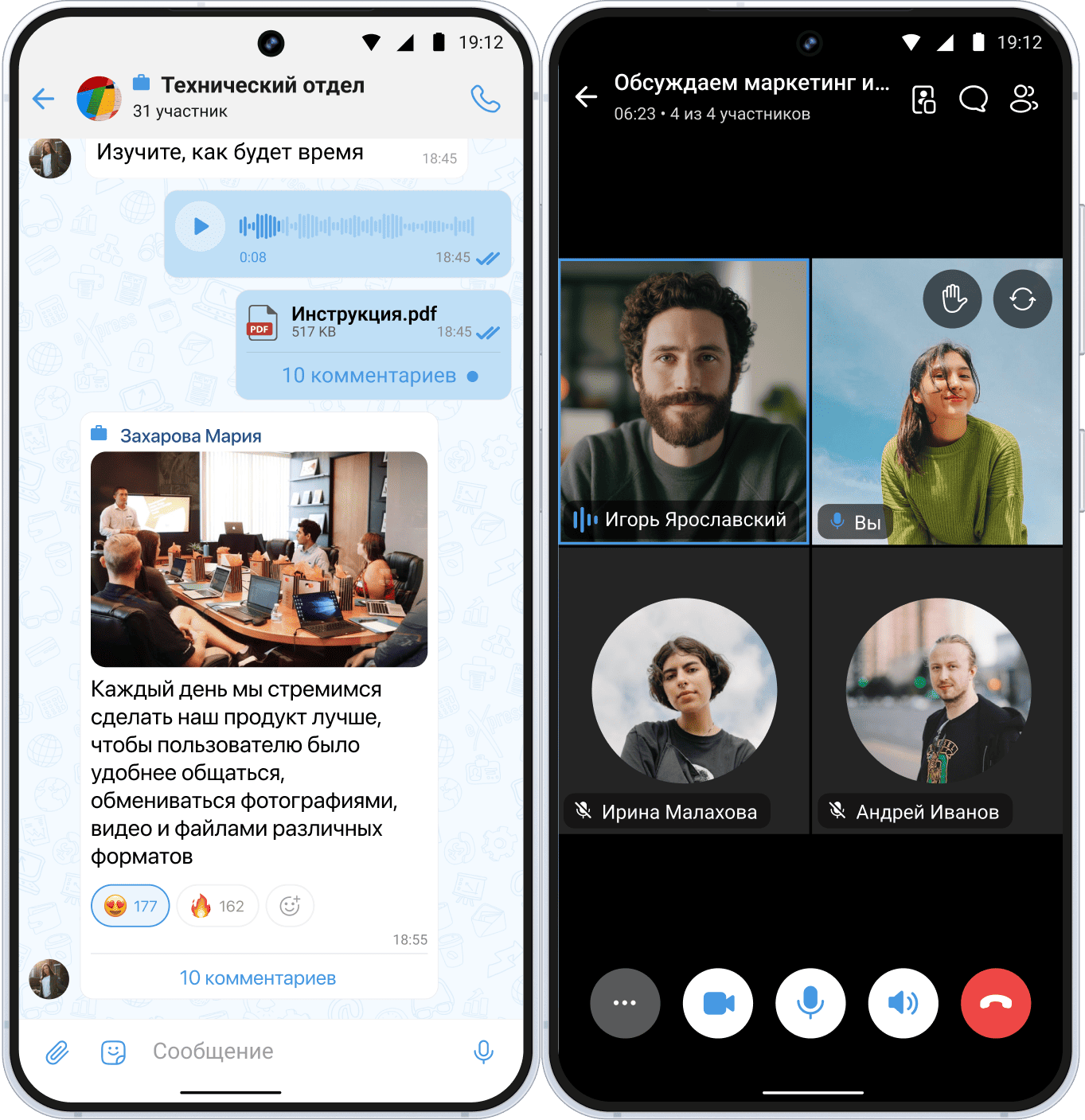
On February 27, 2026, VK shut down the TamTam messenger. If the application is not working for you — this is not a malfunction, the service has ceased to exist. Authorization has stopped working, support has been discontinued. In this article, we have collected Russian messengers that are suitable as alternatives for work and everyday communication.
Why the TamTam messenger was closed and what it means for users
TamTam was launched in 2016 as “OK Messages” — a messenger for a broad audience within the Odnoklassniki ecosystem. In 2022, it was included in the registry of Russian alternatives to Telegram. However, it failed to compete: the audience did not grow, and VK focused on a new product — the Max messenger, which received national status in 2025.
Those who are now trying to download TamTam again only see a notification that the service has been discontinued.. The application has been removed from stores, and chat data is unavailable. The service was closed at the initiative of the developers, so in this situation there are no external restrictions or bans from Roskomnadzor, as is the case with Telegram, WhatsApp*, or other foreign solutions that are under close scrutiny by Russian authorities.
Messengers used by companies can roughly be divided into four categories.
- Public — Telegram, WhatsApp* — those that are available to everyone for free.
- Ecosystem-based: Yandex Messenger, VK WorkSpace, which are built into broader platforms.
- Corporate SaaS that operate on a subscription basis in the cloud.
- And on-premise — when the service is deployed on the company’s own servers, which is the most secure way to implement a messenger, since access to chats and data remains inside the company’s infrastructure.
TamTam belonged to public messengers — without corporate features, access management, or integrations.
TamTam alternatives: 6 messengers
The selection of services to replace TamTam includes only Russian solutions in order to provide reliable messengers that will not need to be replaced again under import substitution conditions.
eXpress
Messenger from a Russian development team with video calls, groups, and channels. The messenger is available to everyone. You can download it from app stores on your phone or use web/desktop versions. In the corporate plan there are all modern features needed for both small and large teams — conferences with call recording, screen sharing, and virtual backgrounds. There are also SmartApp applications, chatbots, and various integrations with company business systems. Among major clients are Russian Railways, Norilsk Nickel, and Sportmaster.

Chat features.Tags for sorting messages, chats, channels, and contacts. Message reminders. Threads. Search by contacts—by name, job title, or company.
Calls and conferences. Up to 256 active participants, meeting recording, screen sharing, reactions. It is possible to share a conference link with external participants who do not have eXpress or only use the public version. Recently, a meeting transcription feature was introduced.
Security and platforms. FSTEC Level 4 trust certificate, registry of domestic software, dual-layer encryption, three-factor authentication, cryptographic container for data on the phone. Support for Android, iOS, Windows, MacOS. Also works on Russian operating systems: Aurora, Astra Linux, Red OS.
Interesting features. Built-in catalog of corporate mini-applications: ordering certificates, booking meeting rooms, integrations with 1C, CRM, SAP, Active Directory. Polls, statuses, role-based access model. Federation protocol that enables secure communication between servers of different organizations.
Who it is suitable for. The platform offers several plans for different company sizes — from small entrepreneurs with teams of 2 people to on-premise deployment of the platform if maximum data protection is required.
Limitations. Conferences are included in corporate plans, but the public version allows 1:1 calls and group chats, as well as joining conferences via a link from a corporate user.
Yandex Messenger
Part of the paid Yandex 360 for Business package. The service was originally created as a public one — therefore the interface is familiar and easy to understand. At the end of 2025 it was merged with Telemost, and video calls are now available inside the chat. If email, disk, and calendar in the company already run on Yandex — the messenger logically fits into the same ecosystem without additional configuration.
Chats. Private and group chats, channels, threads. There are “Important” marks and SSO authorization. Chat folders and custom statuses are not available yet.
Calls and conferences. On paid plans — up to 1000 participants, call duration is unlimited. A temporary link can be sent to a guest. End-to-end encryption is available.
Security and installation. Cloud, on-premise.
Useful features. Works together with email, disk, calendar, documents, and a task manager. AI can transcribe calls and summarize meetings. Installation on corporate devices — via MSI package.
Who it is suitable for. Teams that already use Yandex 360: email, disk, calendar.
Limitations. A small set of tools for managing chats and user permissions. It is not possible to use only the messenger separately.
VK WorkSpace
Corporate messenger from VK. The simple interface resembles a mix of VKontakte and WhatsApp* — most employees do not need explanations on how to use it. Contacts of all employees automatically appear in the address book when connected. A dismissed employee can be blocked immediately without manual actions. Available in the cloud and in a boxed version.
Chats. Private and group chats, channels, folders, pinned chats, archive. In the SaaS version — transcription of voice messages.
Calls and conferences. Audio and video calls for up to 300 participants, integration with VK WorkSpace tools.
Security and installation. Encryption, antivirus file scanning, activity auditing. Boxed installation on your own server. Registry of Russian software.
Useful features. Tasks, email, calendar, collaborative document editing within one ecosystem. Chatbots, synchronization of corporate contacts. At the end of 2025, a Federated model appeared.
Who it is suitable for. Companies for which fast connection and simple administration are important.
Limitations. Integrations mainly work within the VK ecosystem. Limited capabilities for managing user permissions.
Pachka
A corporate messenger for modern teams with a focus on collaboration. Work chats are separated from personal ones, updates are released every two weeks. Clients include Lamoda, SuperJob, MIPT and other companies from IT, Digital, retail and education.
Chats. Private and group chats, channels, cross-thread discussions — colleagues from other departments can be mentioned without unnecessary forwarding. Employee cards with positions, reactions, custom statuses.
Calls and conferences. Up to 1000 participants.
Security and installation. Cloud. For large companies — hybrid BYOK model: encryption keys are stored by the client. Dual-layer encryption, three-factor authentication. Registry of Russian software.
Useful features. AI agents directly in threads: create tasks from conversations, generate discussion digests, record meeting results. Ready integrations with GitLab, Grafana, Google Calendar. Open API and webhooks. Guest access.
Who it is suitable for. IT, Digital and EdTech teams of small and medium size that value a convenient interface without overload. There are also large companies among the clients.
Limitations. No end-to-end encryption and limited mechanisms for more personalized management of user access rights. The free version allows up to 2000 messages per month.
Compass
A corporate messenger with open source code. The service is built on Mattermost and adapted for the Russian market. It works well in teams with a large number of active chats — users highlight its speed. Updated every month. Up to 10 employees in a team can use it for free.
Chats. Private and group chats, channels, threads, folders. Global search across the entire message history and document content. Guest access with a separate environment.
Calls and conferences. Up to 1000 active participants with cameras enabled. Screen sharing, meeting recording with no time limits.
Security and installation. Cloud and on-premise. Three-step authorization, remote logout of employees. Registry of Russian software.
Useful features. Bots, integrations via API, team activity statistics.
Who it is suitable for. Medium and large businesses, small teams of up to 10 people for free use.
Limitations. Users note various missing features that affect the quality of use.
Kontur.Tolk
A service from “SKB Kontur” that started as a video communication tool. Over time, messenger features, collaboration tools, and webinars were added. Video communication is still the priority: Ultra HD, 4K screen broadcasting, breakout rooms, automatic meeting transcription. Registry of domestic software, compliant with Federal Law 152.
Chats. Private and group chats, public and private channels. A video meeting can be launched directly from the dialogue. Role model: administrators, users, readers.
Calls and conferences. Up to 400 people in Ultra HD. The screen can be broadcast in 4K, and if necessary you can take control of the interlocutor’s screen. Breakout rooms are available for group work. After the meeting a transcript and short summary appear automatically.
Security and installation. Cloud only. mTLS encryption, login via SSO, data stored on servers in Russia.
Useful features. You can launch a poll or quiz directly during the conference. Supports SIP terminals. Notes are available.
Who it is suitable for. Small and medium businesses, mainly online schools and teams that need stable video communication and webinars for large audiences.
Limitations. Messages in the messenger on mobile phones do not update or update with a delay.
How to choose a messenger
Start from your specific task, test the free versions of all suitable products and compare them.
If you need a quick replacement for TamTam without long implementation and paid subscriptions, consider eXpress, Pachka or VK.
If you need high security and data management on your servers, consider solutions labeled on-premise, including eXpress, Compass, and others.
If you spend half your workday on webinars and online training, then Kontur.Talk or Yandex.Messenger.
In Russia there are large-scale restrictions on foreign messengers. WhatsApp* has been fully blocked, Telegram is partially restricted, and its full blocking is expected from April 1. Therefore, when choosing a replacement for TamTam or other discontinued messengers, it is worth considering not only functionality but also the product’s stability in the market.